
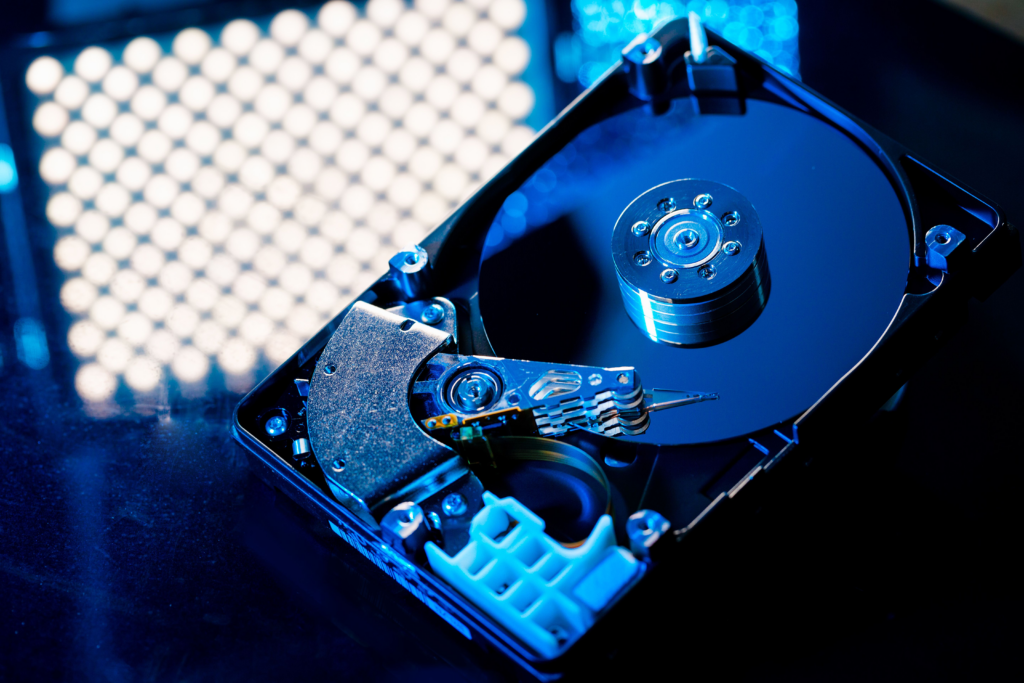
If you’re a Usenet fan, you probably access a lot of articles, so it’s important to have a hard drive that is large enough, fast enough, and reliable enough to handle the regular data transfer that a Usenet power user needs. This is especially true if you’re planning to set up your Usenet connection through a NAS and will be doing regular backups.
We tested several hard drives under real world conditions and have chosen the best hard drives of 2026.
What Hard Drive Features We’re Looking For
When it comes to hard drives, there are a few specific things we are looking for.
- At least 7200 RPM motor and 64MB of cache to speed up performance and prevent data corruption. If you plan to access binaries that you downloaded, this will also help you get the best performance.
- High capacity. Usenet binaries can be hundreds of gigs in size, so you want a hard drive that comes with several high capacity options, preferably in the 4TB+ range, so you won’t have to regularly upgrade.
- Price. This doesn’t make or break a particular hard drive, but we do consider value for price as one factor in determining what the best hard drive is.
- Warranty. Mechanics inevitably break, but users should have reasonable confidence that their hard drive will last for a while. We believe that a strong warranty is in determining the ultimate value of the hard drive.
The Best Hard Drives in 2026
Seagate BarraCuda Pro
Capacity: 2-14TB
Speed: 7,200 RPM
Cache: 256MB
Warranty: 5 year limited warranty and 2 year rescue data recovery services
Pros
- Great speeds
- Excellent price for the storage
- Good warranty
Cons
- Smaller cache
- Loud
Overall, the best hard drive in 2026 is the Seagate BarraCuda Pro. Several of our staff use these on their personal NAS for Usenet and have had excellent results for several years.
Our tests placed intense strain on the hard drive, writing and erasing several GB of data at the same time, and there was no drop in speed or any data corruption. Because of the high RPMs and capacity, we experienced approximately 160MB/s sequential writing speeds, so there were no issues simultaneously downloading new articles and accessing existing files on the hard drive.
The Seagate BarraCuda Pro is backed by a 5 year limited warranty and the additional data recovery service in case something does go wrong.
The price is superb. A 2TB drive costs around $50 as of the time of this writing, with a 14TB drive running only about $400. Despite the cache only being 265MB, slightly smaller than other entries on this list, and it being a fairly loud drive, the price to value ratio is super high.
Western Digital Red Pro
Capacity: 2-22TB
Speed: 7,200 RPM
Cache: 512MB
Warranty: 5 year warranty
Pros
- Up to 22TB of storage
- Super fast speeds
- Highly durable
Cons
- Expensive
With plenty of size options and its long warranty period, Western Digital’s Red Pro series is a favorite among power users. These drives bring the speed and reliability of enterprise-level, high performance storage solutions to the home market.
The biggest drawback is the price. WB Red Pro hard drives get very expensive very quickly. You get what you pay for in most cases, but Western Digital seems to be banking on reputation and the warranty to bump the price up, which put these out of reach for a lot of users who just want some extra storage capacity.
Still, if you can afford it, this kind of investment in your data security will be worth it in the long run. The higher capacity hard drives will continue to run well years down the road and protect your data integrity.
Seagate Ironwolf
Capacity: 1-14TB
Speed: 7,200 RPM
Cache: 265MB
Warranty: 3 year warranty
Pros
- Excellent value
- 3 year warranty
- Speeds up to 240MB/s
Cons
- Limited bay support
- Caps out at 14GB
Seagate Ironwolf drives are some of the best that Seagate has to offer. They are excellent for long term storage and regular access, boasting 1 million hours mean time between failure (MTBF). While it has the same cache and speed as the BarraCuda, it outperforms its cousin in tests due to better construction and higher quality materials.
That comes with a tradeoff in higher prices, of course. A 1TB Ironwolf retails around $60, compared to around $50 for a 2TB BarraCuda. It also can only support up to 8 NAS bays compared to the 24 supported by the WD Red Pro.
However, the Seagate Ironwolf distinguishes itself as a good middle-of-the-road choice.
Western Digital WD Blue
Capacity: 1-6TB
Speed: 5,400 – 7,200 RPM
Cache: 64 – 128MB
Warranty: 5 year warranty
Pros
- Very low prices
- 5 year warranty
Cons
- Slower than other models
- Lower RPM at higher capacities
The Western Digital WB Blue line is a solid budget option for users who may be only starting to expand their local storage capacity. However, there are some glaring issues that might give a more experienced user pause.
Price is outstanding. You get a lot of storage at low cost, with 6TB drives retailing for around $100-$110. That’s a roughly 40% lower price-per-gigabyte than the Seagate BarraCuda. And since it’s from Western Digital, you can be confident that they are well built and come with the standard WD 5 year warranty.
Capacity caps out at 6TB on this line of hard drives, and the larger the capacity, the slower the RPMs and sequential writing speeds. WD Blue drives are also not great for use in a NAS since they will inevitably limit your maximum storage capacity.
However, for users looking for a quick few terabytes to expand a desktop, this can be an inexpensive, albeit limited option with decent performance and reliable data storage.
Seagate Ironwolf Pro NAS
Capacity: 4-18TB
Speed: 7,200 RPM
Cache: 256MB
Warranty: 5 year warranty and 3 year rescue data recovery services
Pros
- Fantastic price
- Up to 2 million hours MTBF
- 24 bay supportv
Cons
- Slower than WD Pro
The Seagate Ironwolf Pro NAS is the best hard drive for NAS setups. The price to features ratio is superb: a top-end 18TB drive with a 256MB cache that runs at 7,200 RPM and costs only about $334 as of the time of this writing.
It is also highly reliable. Seagate designed these hard drives for the constant use expected from a NAS and claims up to 2 million hours MTBF, which is astonishingly high. And if something does go wrong, there is a 5 year warranty and 3 years of data recovery service to fall back on.
They are also very quick, though not quite as fast as the WD Pro. However, the price difference alone might make a small drop in performance worth it.
Bottom Line
Any of the above hard drives are a good option for most users, which is why we have named them our Best Hard Drives in 2026. Choose the one with the best combination of price and features that fits your level of Usenet usage.